Nested locations, categories, and starter taxonomy
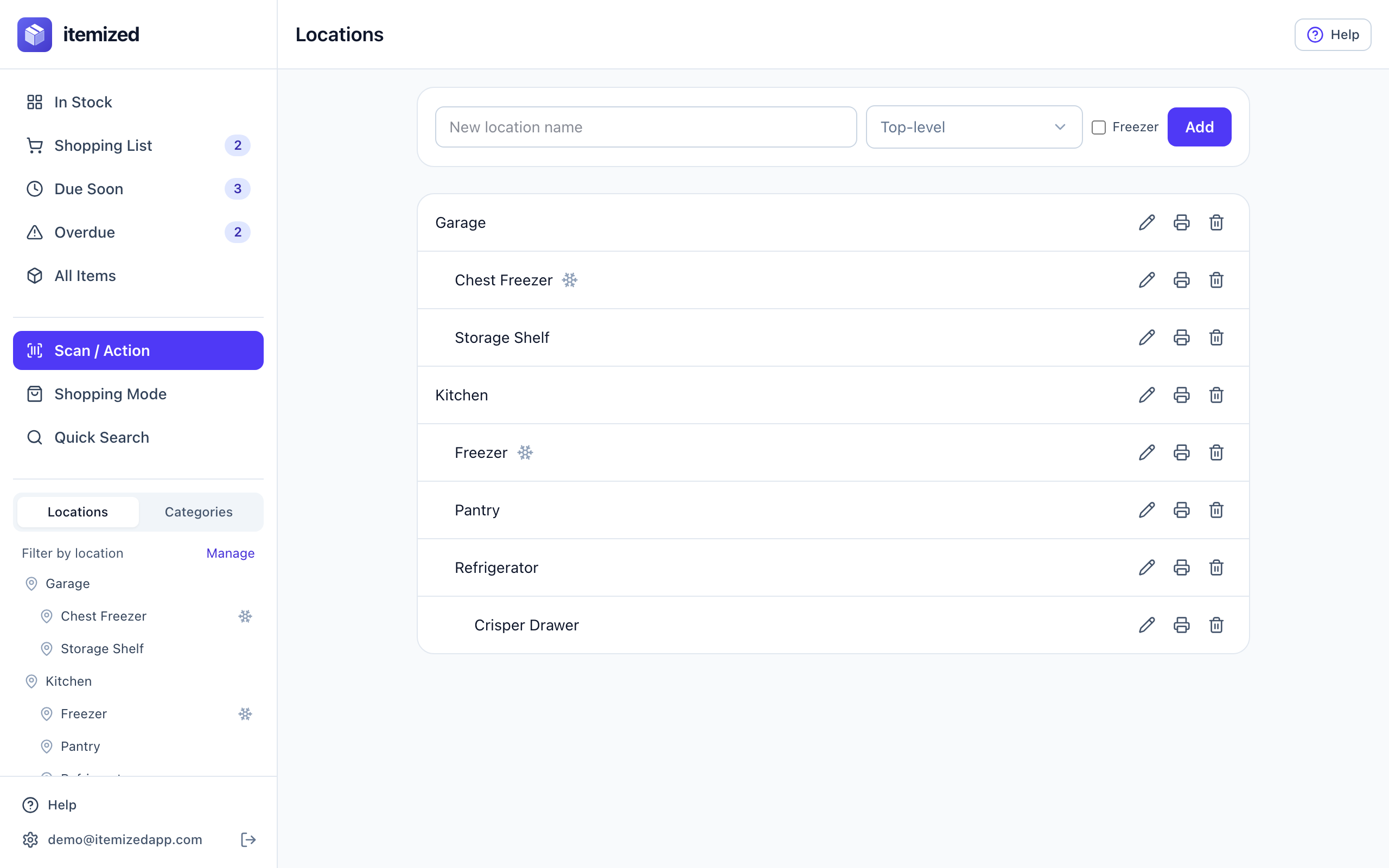
Organize household stock into hierarchies like Kitchen -> Refrigerator -> Crisper Drawer or Garage -> Chest Freezer, paired with custom categories and an optional onboarding starter taxonomy.
Features
Every capability below is shipped in the single itemized binary with no paid tiers, add-on servers, or cloud subscriptions.
Inventory
Know what you have, where it sits, and what needs to be used next across every pantry shelf, fridge drawer, and chest freezer.
Organize household stock into hierarchies like Kitchen -> Refrigerator -> Crisper Drawer or Garage -> Chest Freezer, paired with custom categories and an optional onboarding starter taxonomy.
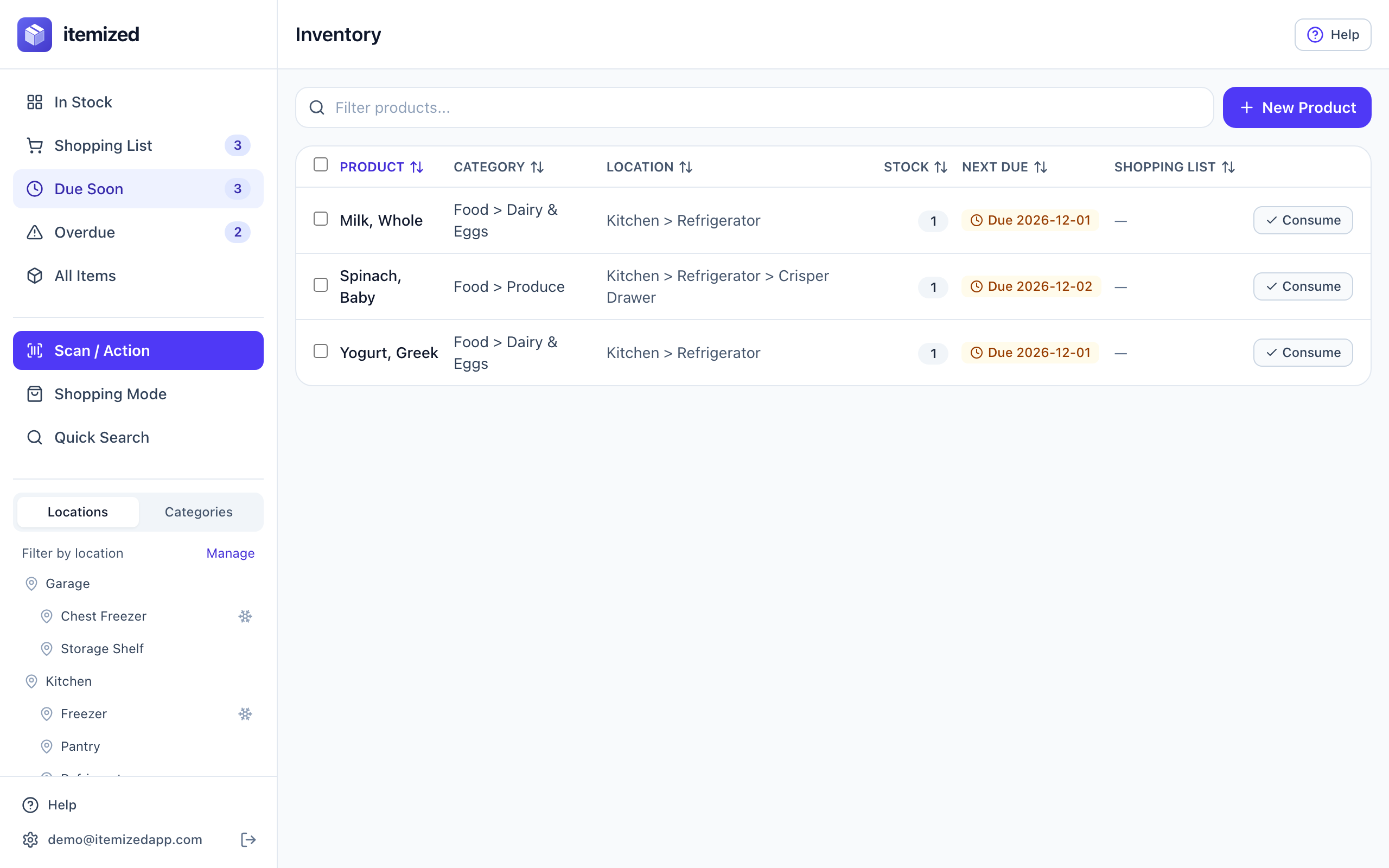
Items approaching or past their best-by date surface automatically, while opening, freezing, or thawing recalculates due dates using rolling-average consumption history.
Log the soonest-due unit in one tap (with an Undo toast and per-user toggle), sort inventory server-side across every column, and type quick math expressions like 500/4 into number fields.
Restocking
Your shopping list stays current from the stock you actually have at home, without manual re-entry.
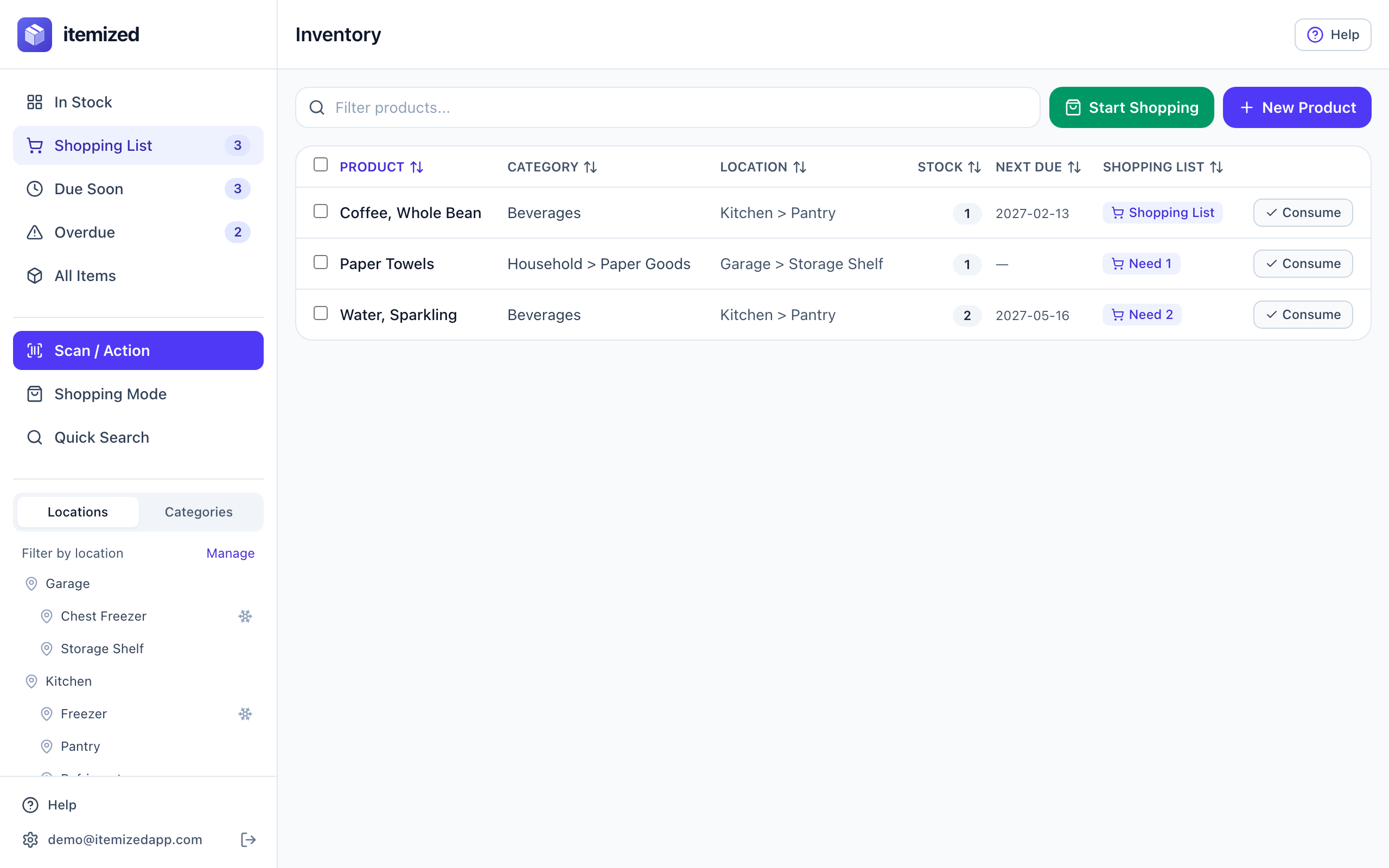
Set a minimum stock level on any product; when on-hand quantity drops below it, the item appears on your shopping list automatically.
Add one-off items to the list manually from your phone or desktop whenever something comes up.
Scan or purchase items as you unpack groceries and they clear from the shopping list as stock is replenished.
Shopping Mode
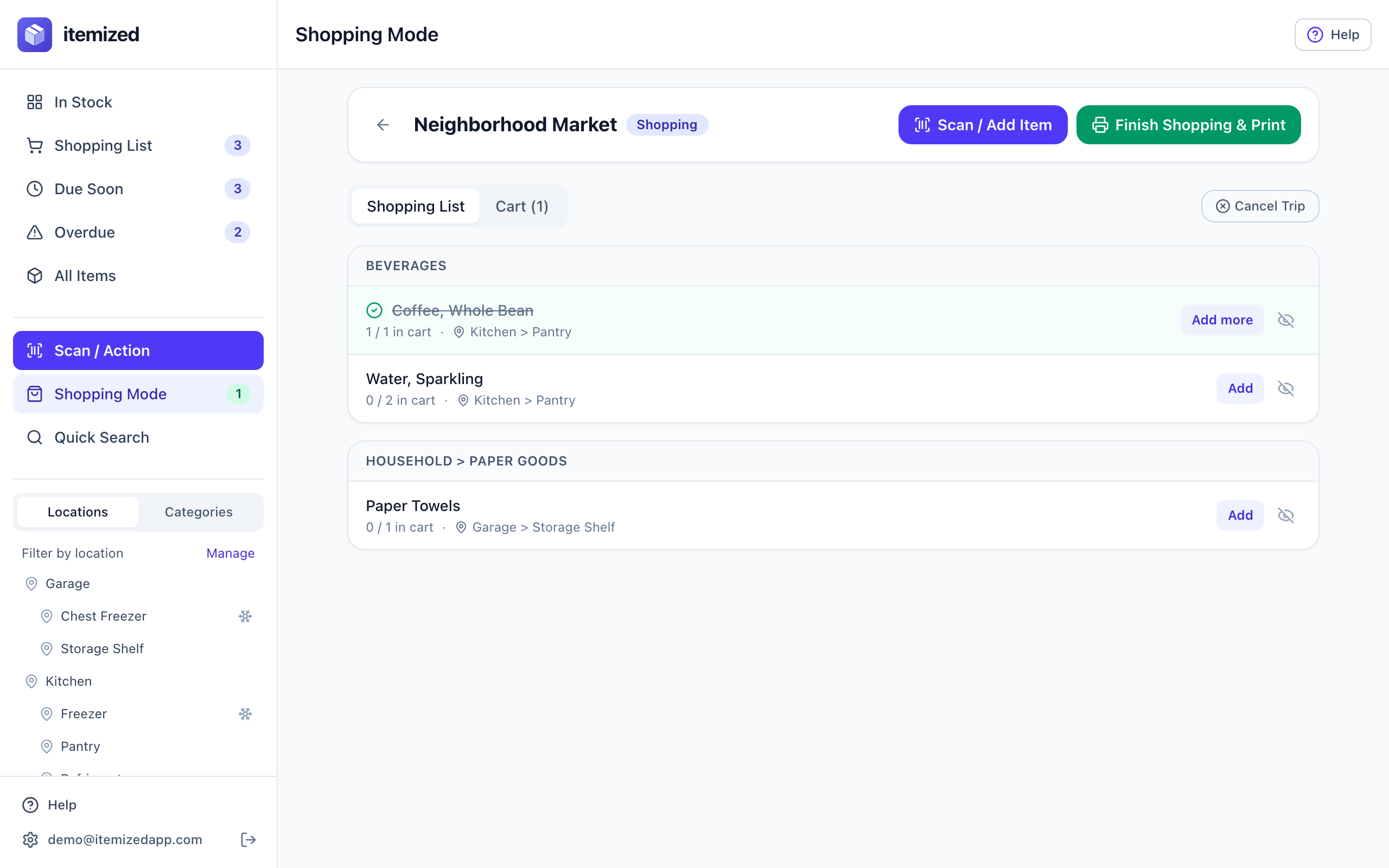
Combine your shopping list, barcode purchasing, deferred batch label printing, and storage put-away into one real-time household trip workflow.
Create shared Store Layouts ordered by aisle category, exclude categories you buy elsewhere (parent exclusions automatically hide subcategories), and surface new categories under Unordered so nothing is hidden. Selecting a store starts a trip or joins an active household trip automatically with real-time sync across devices and no session codes.
Track progress against minimum stock (such as 1 / 3 in cart), scan barcodes or tap any row to stage purchases without committing inventory or printing yet, and create new catalog products on the spot for unknown barcodes. Dismiss items for the current trip (and restore them under Dismissed for this trip), toggle Going to freezer upfront so freeze due dates compute before labels print, edit staged entries in the Cart tab, or Cancel Trip cleanly.
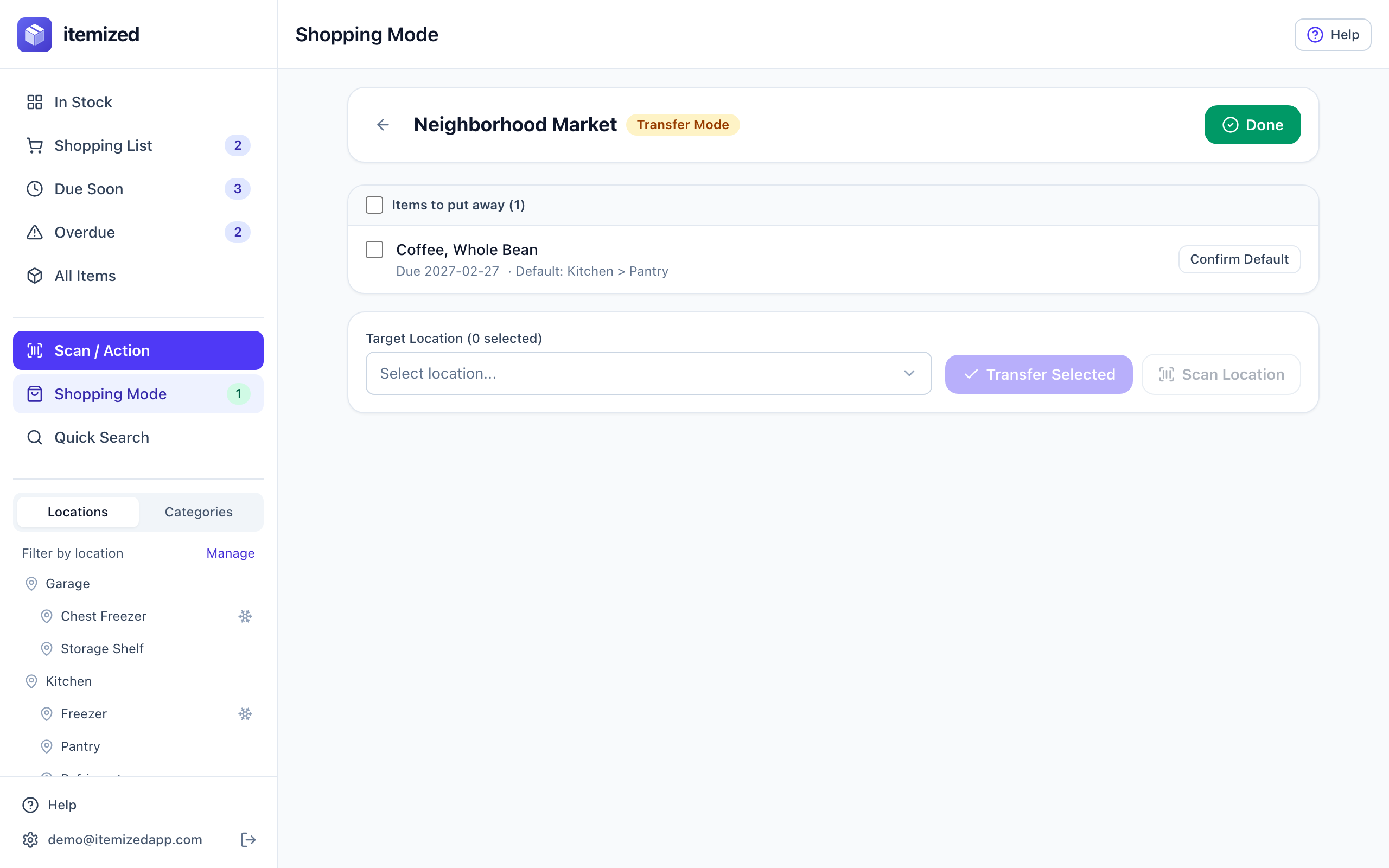
Tap Finish Shopping & Print (or Finish Shopping when no printer is enabled) to commit staged items to inventory, clear manual shopping-list flags, print labels in one batch or consolidated PDF, and enter Transfer Mode. Check items and use Scan Location, the location picker, or Confirm Default until everything is placed, or tap Done anytime.
Scanning
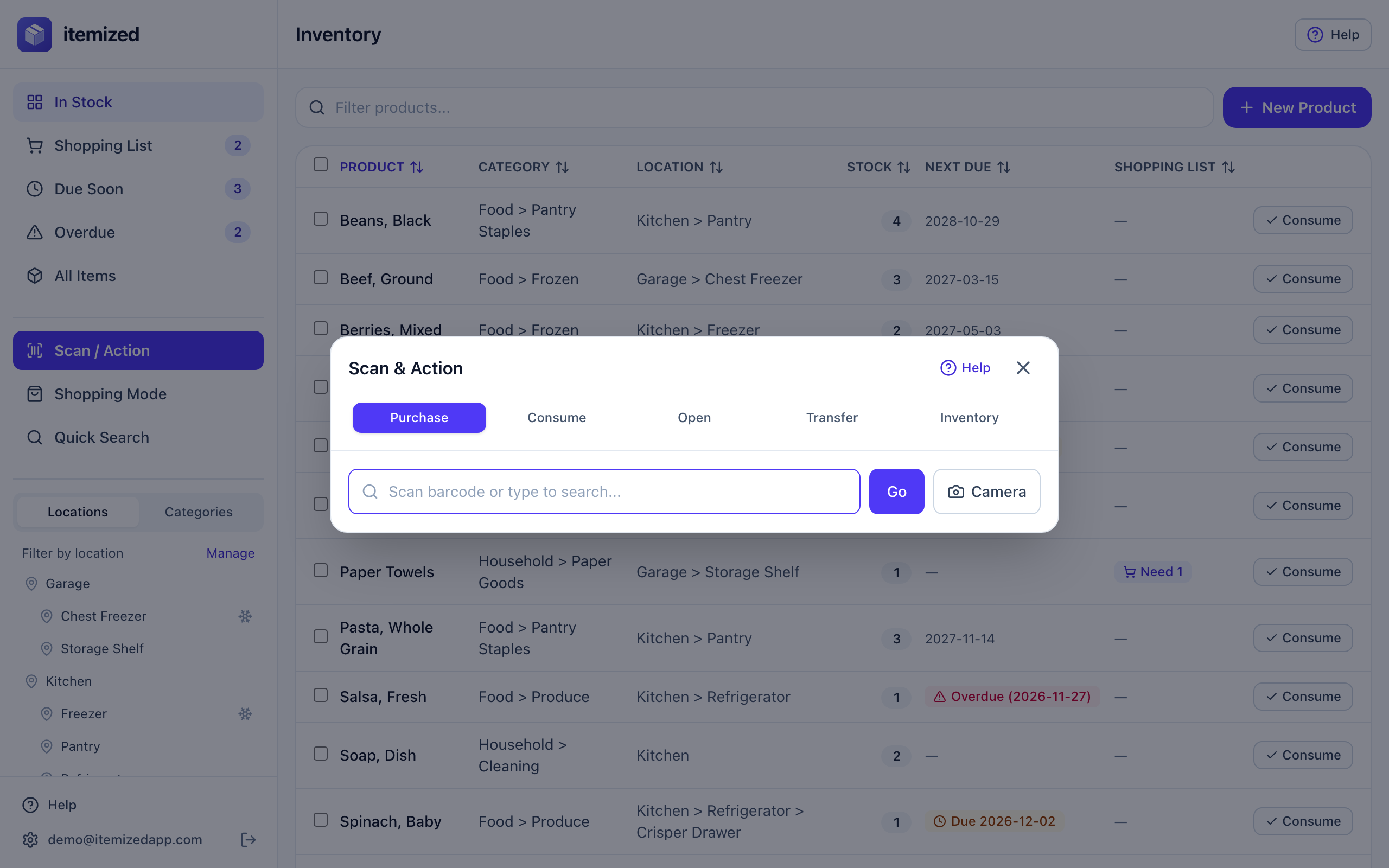
One unified Scan / Action workflow built for your phone camera, native QR quick actions, and USB or Bluetooth scanners in the kitchen.
Scan retail UPC/EAN barcodes or printed itemized labels to Purchase, Consume, Open, Transfer, or run a Location Inventory Audit. Purchase and variant scans automatically ignore distracting manufacturer QR codes printed next to UPC barcodes.
Point your phone’s built-in camera at any printed item (/go/i/:id), product (/go/p/:id), or location (/go/l/:id) QR label to open a mobile-first screen for one-tap Consume, Open, Transfer, Quick Add, or shelf filtering.
Unknown retail barcodes are looked up automatically against OpenFoodFacts, with optional Anthropic, OpenAI, Gemini, or local Ollama integration to standardize messy names and merge records.
Labels
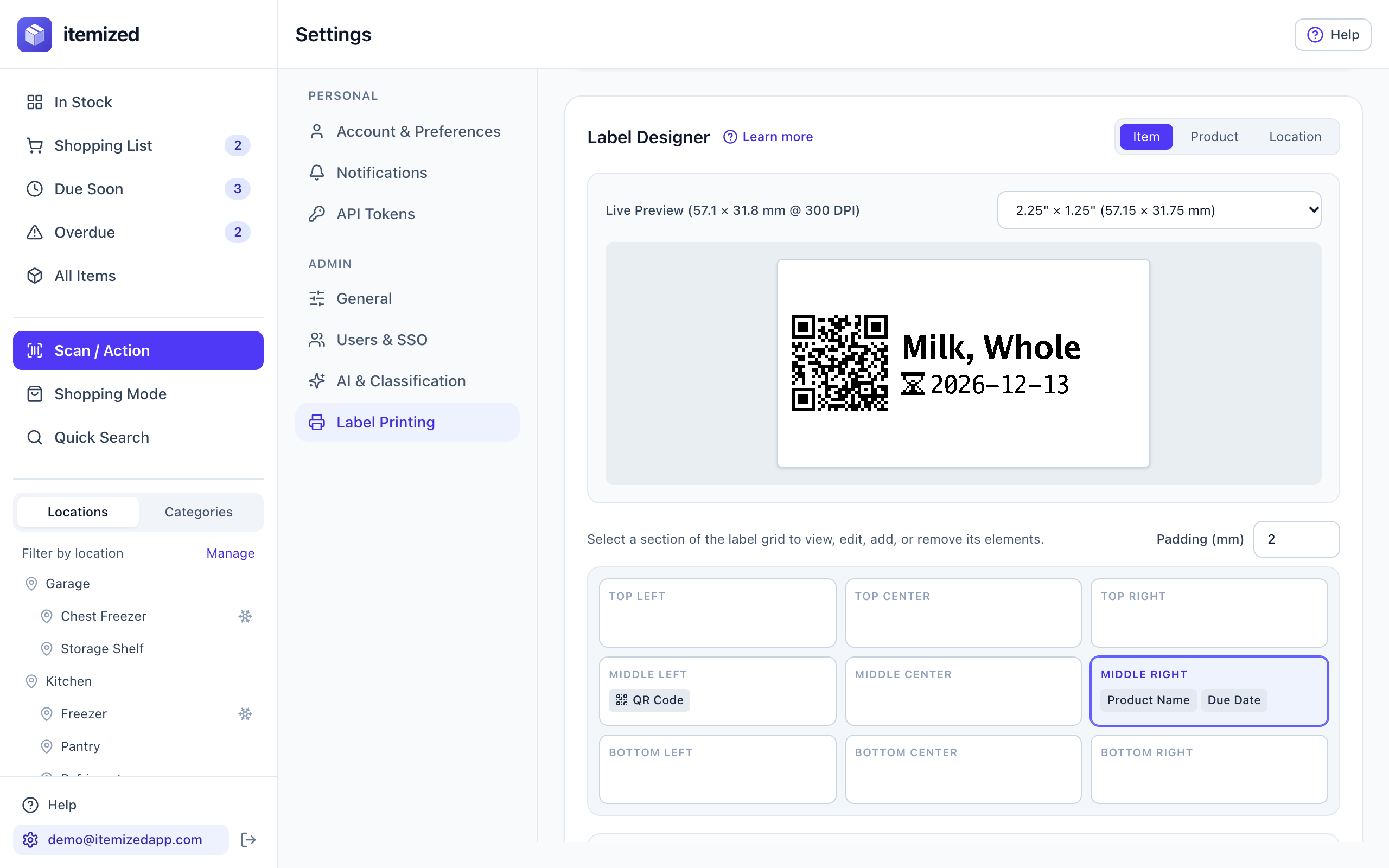
Design clean QR labels visually for any label size and print straight from itemized to thermal, AirPrint/CUPS, or local browser PDF printers with no companion print server.
Customize item, product, and location templates on a 3x3 anchor grid (Top Left through Bottom Right) with independent text alignment, font size, bold, icons, one-click reset, and a live preview switcher across configured printers and label sizes.
Print exact-size single- or multi-page batch PDFs in your browser with no dedicated label printer, or send directly over your LAN to Zebra ZPL (:9100), Zebra ZSB (IPP), Brother QL (:9100), Rollo/Munbyn/TSC/iDPRT (TSPL :9100), and CUPS / AirPrint / IPP Everywhere printers.
Use IPP roll-size auto-detection, built-in presets (such as 2.25" x 1.25" or Brother DK-1209), or custom mm/in dimensions with die-cut or continuous media. Set each product to none, per_item, or per_product labels, or skip printing and use retail UPCs.
Notifications & API
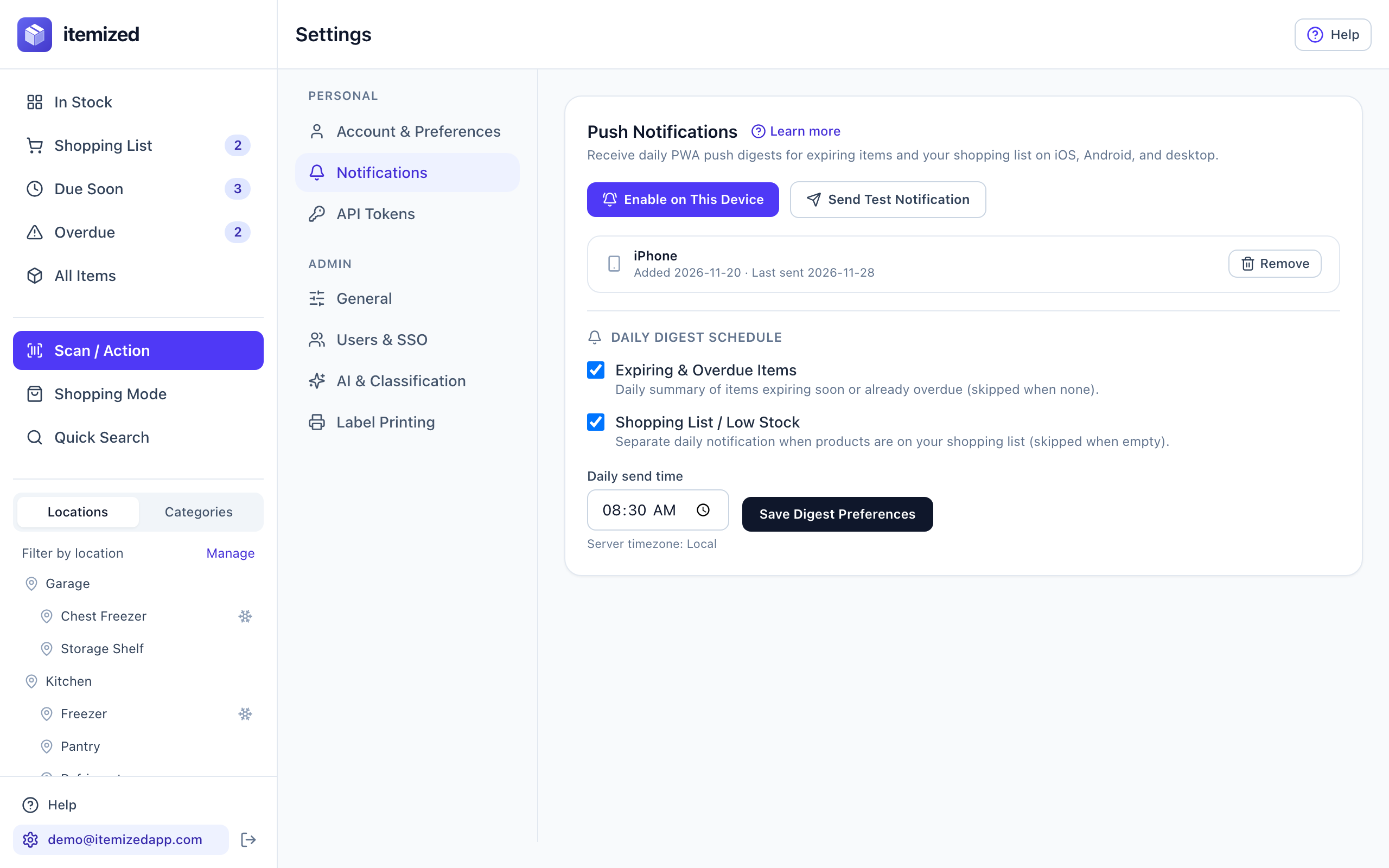
Stay ahead of expiring food with native Web Push digests and connect itemized to Home Assistant, iOS Shortcuts, and custom scripts.
Enroll iOS Home Screen PWAs, Android devices, and desktop browsers directly with no third-party push account. Schedule daily digests for Expiring/Overdue items and Shopping List alerts in your server timezone.
Create revocable Bearer tokens (itm_...) with optional expiration, stored as SHA-256 hashes and inheriting your account role even when Force OIDC is enabled.
Poll GET /api/summary with Home Assistant’s built-in REST integration (no HACS component required) or call /api/* endpoints from iOS Shortcuts, Mealie/Tandoor bridges, and shell scripts.
Speed
Built to feel immediate whether you are typing with one hand on a phone or flying through updates on a desktop.
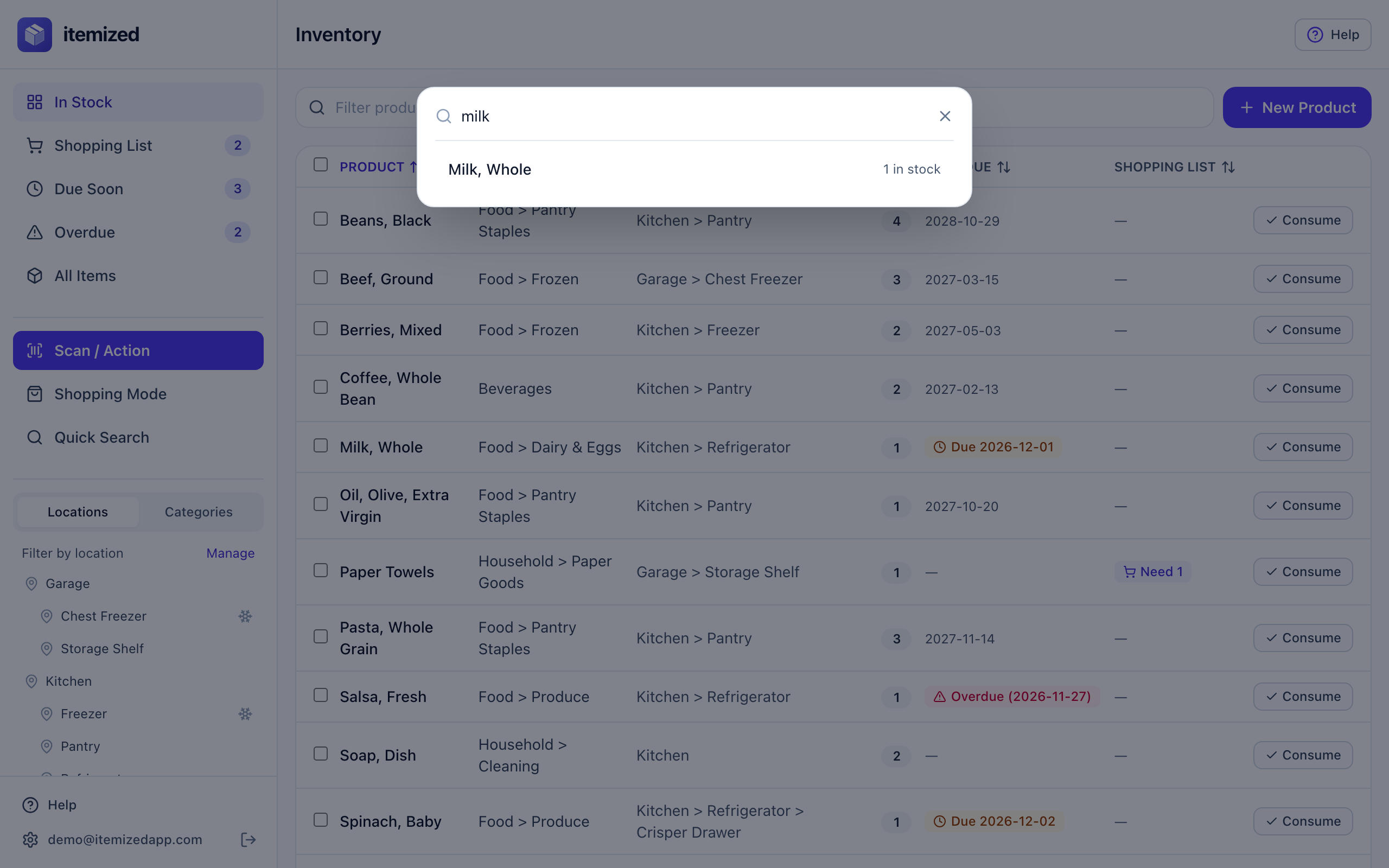
Powered by SQLite FTS5 trigram indexing so partial names and minor typos still return instant matches.
Jump straight to views and actions with g i, g s, g d, g o, g a, n to create, and ? to open the shortcut reference.
Household
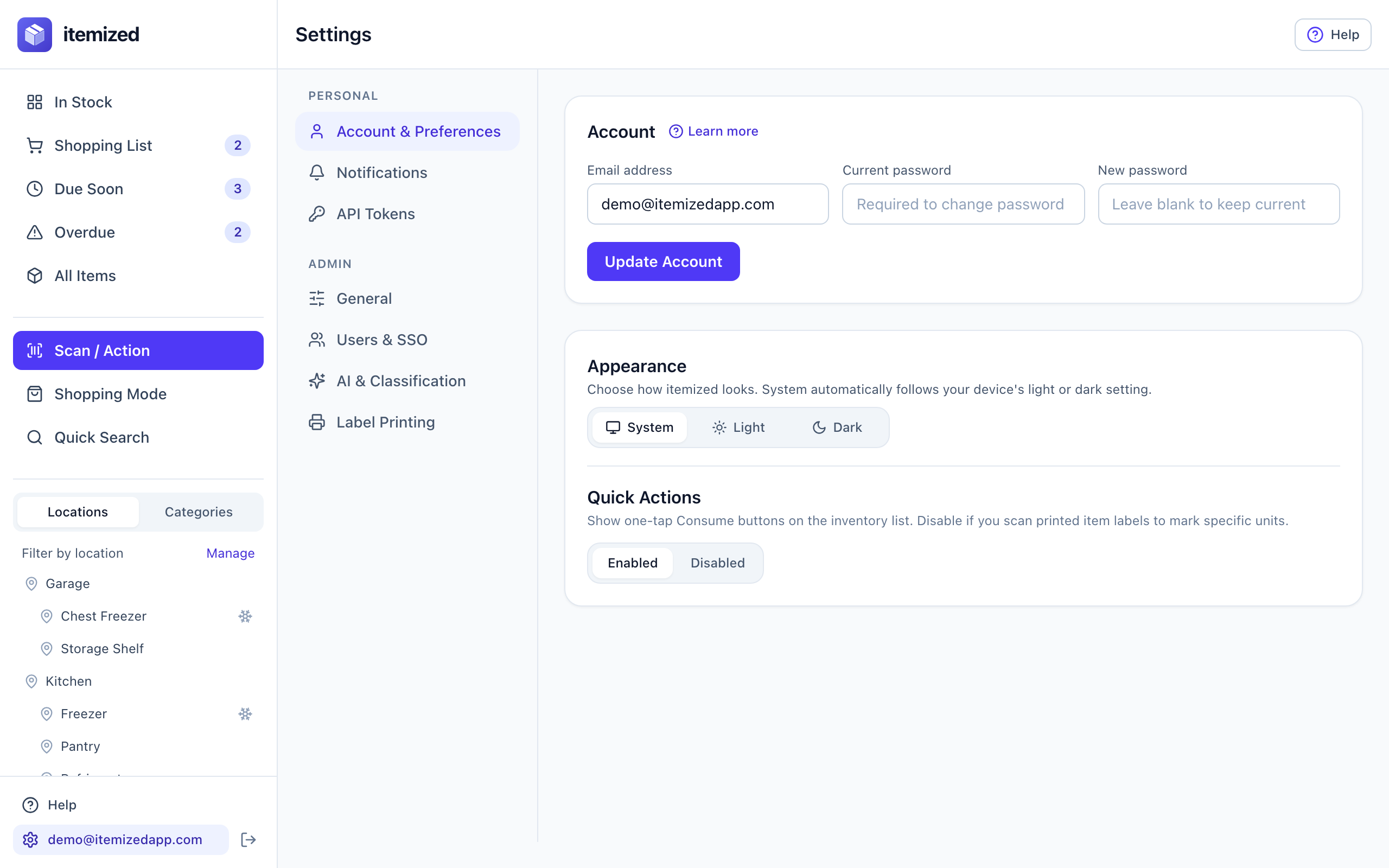
Share one inventory across everyone in your home with simple roles, per-user preferences, and support for your existing identity provider.
Keep instance administration scoped to admins while every household member sets their own Light, Dark, or System appearance theme and Quick Actions preference.
Sign in with local accounts or connect Authentik, Authelia, Pocket ID, Keycloak, or any standard OIDC provider using Auth Code + PKCE.
Automatically create Member accounts on first OIDC login and optionally disable local password sign-in entirely.
Architecture
Run it on a mini PC, NAS, Raspberry Pi, or Unraid server with minimal footprint and straightforward backups.
Frontend and backend ship together in one binary with no external database server, message queue, or Redis required.
Your entire household inventory lives in one /data/itemized.db file that is simple to inspect, move, and back up.
Pre-built linux/amd64 and linux/arm64 images on GitHub Container Registry plus an official Unraid Community Apps XML template.
Test every workflow in the live demo or deploy itemized on your own server with Docker Compose.