Push notifications
Enable daily PWA push digests for expiring items and your shopping list on iOS, Android, and desktop.
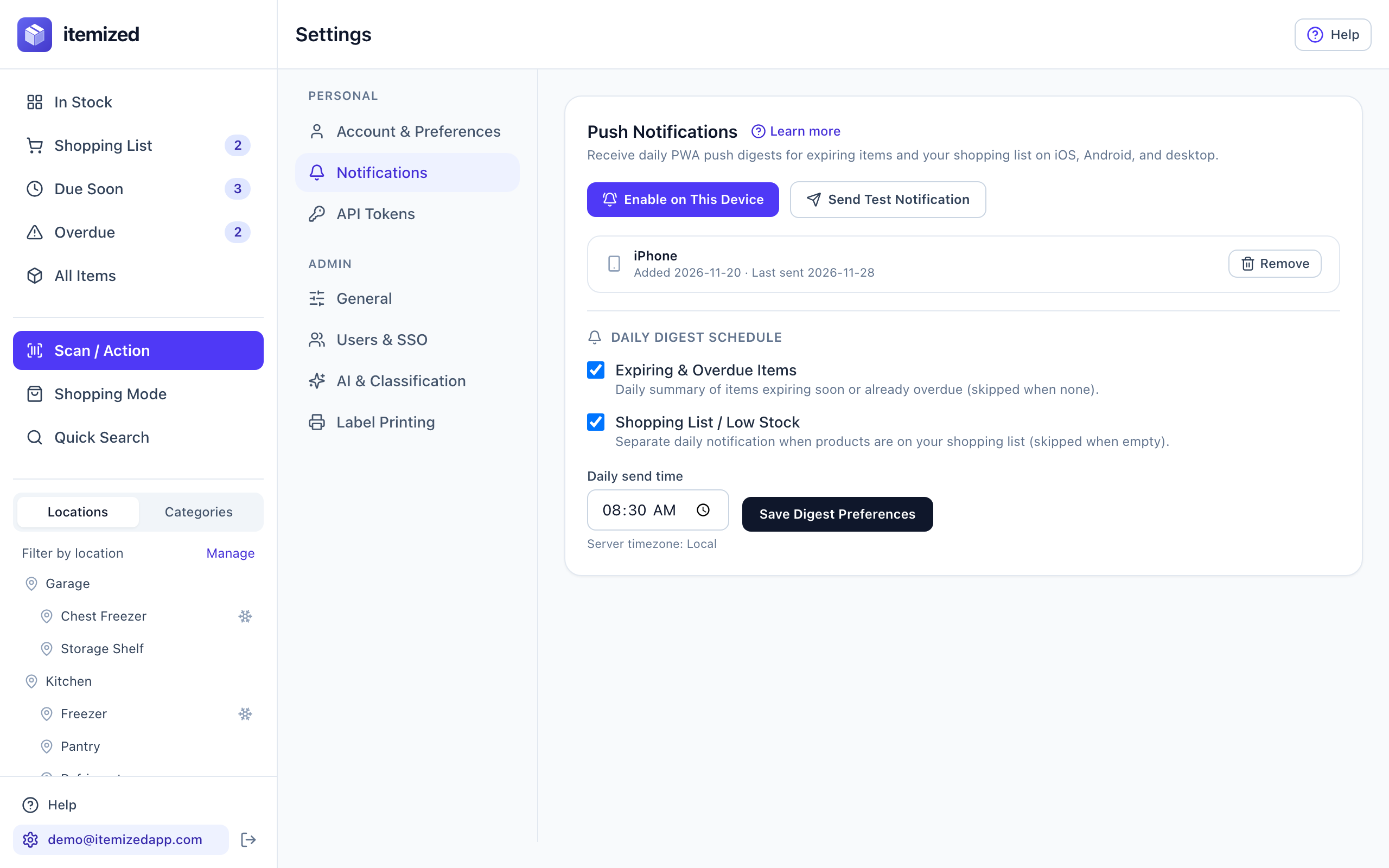
Itemized sends per-user daily digest push notifications directly to your phone or desktop browser using standard Web Push (VAPID)—no external push service account or API key required.
Prerequisites
- HTTPS required: Browsers only allow Web Push enrollment over HTTPS (or
localhost). Serve itemized behind a reverse proxy, Tailscale HTTPS, or Cloudflare Tunnel. See Self-hosting: Reverse proxy and TLS. - iOS Home Screen app: On iPhone and iPad, Safari requires installing itemized to your Home Screen first (Share → Add to Home Screen) and opening it from that icon before enabling notifications. See Install itemized on your phone.
Enrolling a device
- Open Settings → Notifications on the device you want to receive alerts.
- Select Enable on This Device and grant browser notification permission.
- Click Send Test Notification to confirm end-to-end delivery.
Each household member manages their own enrolled devices and can remove old devices anytime from Settings → Notifications. Stale browser subscriptions are pruned automatically.
Daily digest schedule
Under Daily Digest Schedule, configure what you want to receive and when:
- Expiring & Overdue Items: Sends a daily summary when items are due soon or overdue, opening directly to Due Soon or Overdue when tapped. Skipped automatically when nothing is expiring.
- Shopping List / Low Stock: Sends a separate daily alert when products are on your shopping list, opening directly to Shopping List when tapped. Skipped when empty.
- Daily send time: Choose a 24-hour send time (default
08:30), evaluated in the server's local timezone (set via the containerTZenvironment variable).
Select Save Digest Preferences to apply changes. Push notifications are disabled in demo mode.