Demo mode
Explore itemized with pre-seeded household data that resets automatically every hour.
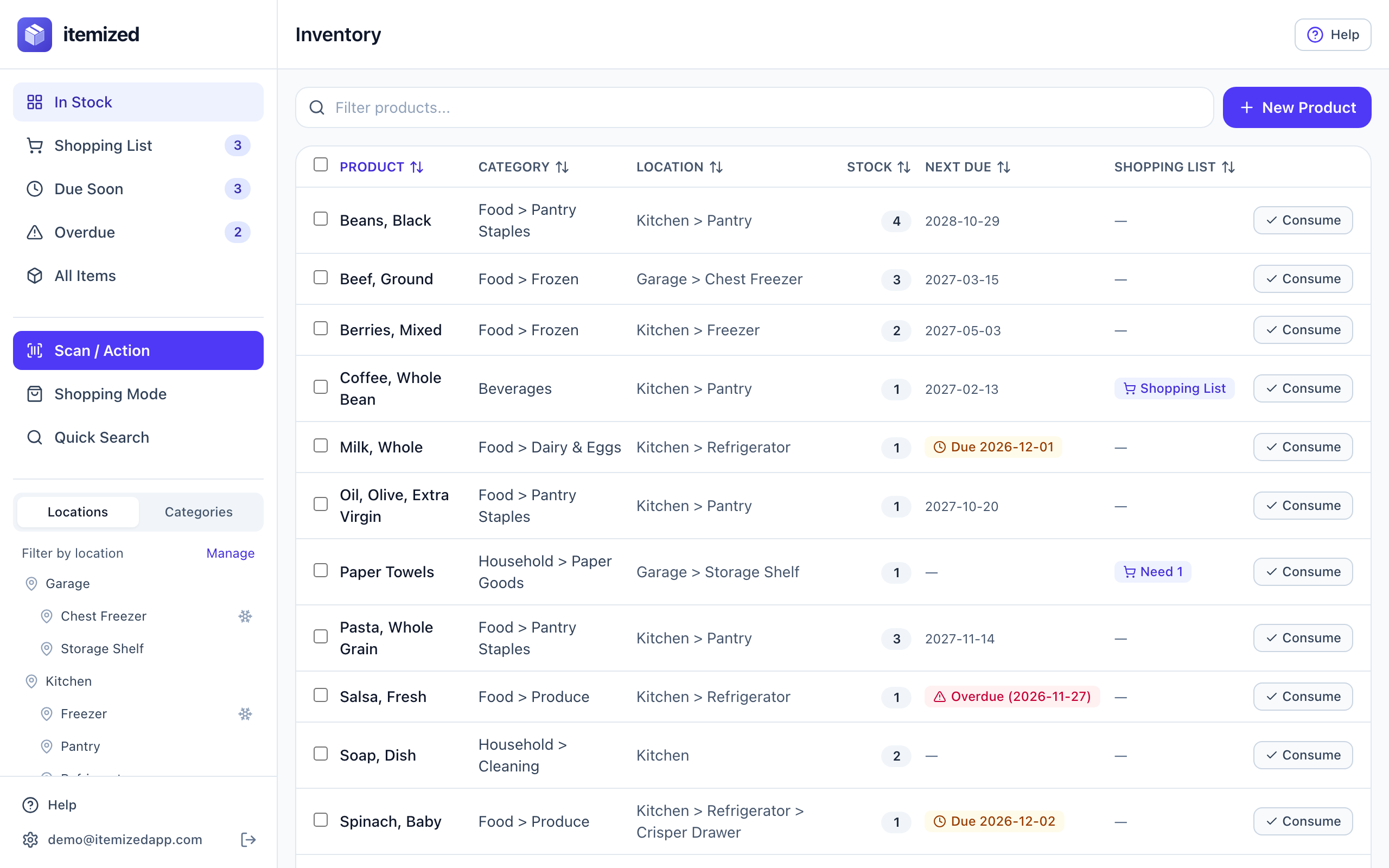
Demo mode lets anyone explore itemized without creating an account or affecting a production database. The public demo is available at demo.itemizedapp.com.
What is included
- No login required: Visitors are signed in automatically as the demo household administrator.
- Sample household data: Pre-seeded locations (Kitchen, Pantry, Fridge, Freezer), categories, products, variants, barcodes, and in-stock/due-soon/overdue items.
- Hourly reset countdown: A banner below the header shows when sample data will reset back to its clean baseline.
Sandboxed actions in demo mode
To keep public demos safe, outbound integrations and destructive account edits are sandboxed:
- Account email and password changes are disabled.
- OIDC and LLM settings cannot be modified, and outbound LLM calls are disabled.
- Outbound Zebra IPP and raw TCP printer connections are simulated instead of reaching LAN hosts.
- Live OpenFoodFacts UPC lookups are rate-limited to 5 requests per minute.
Run demo mode locally
Administrators can enable demo mode on any instance by setting DEMO_MODE=true (and optionally DEMO_RESET_INTERVAL=1h). See the Configuration reference.